There are few blogs that talk about this topic, but I couldn’t find an answer for the windows 7 firewall setting to get this working. Finally, I was able to configure it and so here is the blog to explain it. I would like to credit Michael McLaughlin for an excellent article that explains very clearly how mac, vmware fusion 3.1.2 and guest windows xp on work.
A brief background, since there is no native Oracle 11g database install available for mac OS, which is what I use everyday, I settled in installing the new beta Oracle 11g express edition on windows 7. Prior to installing the database I installed win7 64-bit ultimate edition using vmware fusion. Won’t go into detail about installing the operating system and database install as you could find it at multiple sites by googling.
Here’s my host file on mac,
$cat /etc/hosts
127.0.0.1       localhost
255.255.255.255 broadcasthost
192.168.59.224  my-win7         my-win7.my.com
On windows,
C:\>notepad C:\Windows\System32\drivers\etc\hosts
127.0.0.1       localhost
#::1            localhost
192.168.59.224	my-win7		my-win7.my.com
Here’s the win7 firewall settings
On search box, type ‘Windows Firewall’ and click on “Windows Firewall with advanced security”. Click on Inbound Rules –> New rule (on right side region). Then choose following options,
All Programs –> Allow the connection –> Check ‘Domain’, ‘Private’ and ‘Public’ (default) –> Enter a name “OracleServiceXE”. Once this is done, you’ll see a new Inbound rule to allow all incoming connection to talk to Oracle database on windows 7. Lets tighten little bit more on the firewall exception. Click on the newly created rule and then on ‘properties’ (or double-click on the OracleServiceXE rule). Following image should popup,

Then lets restrict the Protocol and Ports with following image,
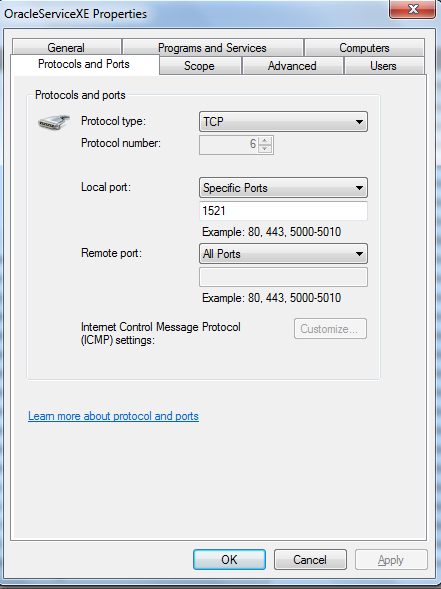
Lastly, the most important step is to allow ‘Edge traversal’ (this is needed for NAT connection),

Since I’d be using as only in the private network, I didn’t need to apply the rule to ‘Public’ – so I unchecked Public. That was it, now I can access Oracle XE on virtual (guest OS) windows 7 from my macbook pro.
Here’s the SQL developer connection,
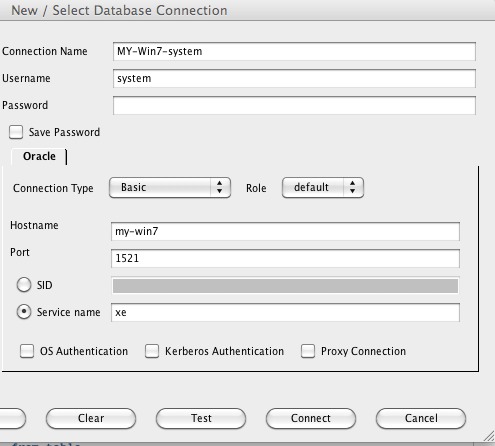
Now I do all oracle queries on my mac side and one place to maintain my SQL developer connections. Hope this helps.
Adding a couple more steps on how to access APEX on 11g xe. Its quite simple as adding the port number to the windows firewall and thats it!
I have the standard “8080” port open to access APEX on windows 7 Oracle 11g xe,
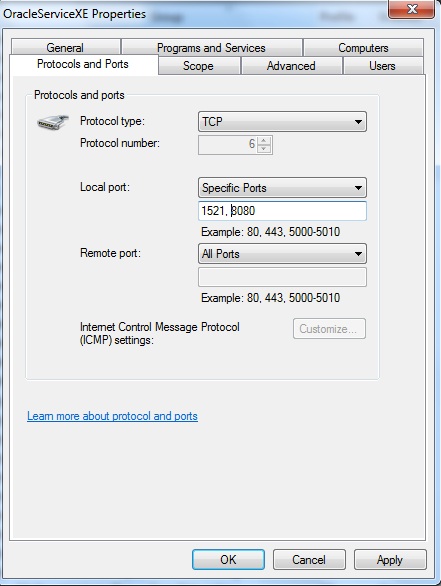
Now you have opened the port to let mac connect to windows “APEX”. Now, I can build applications from macbook on my favorite ‘safari’ browser. Here’s the screen shot of that,
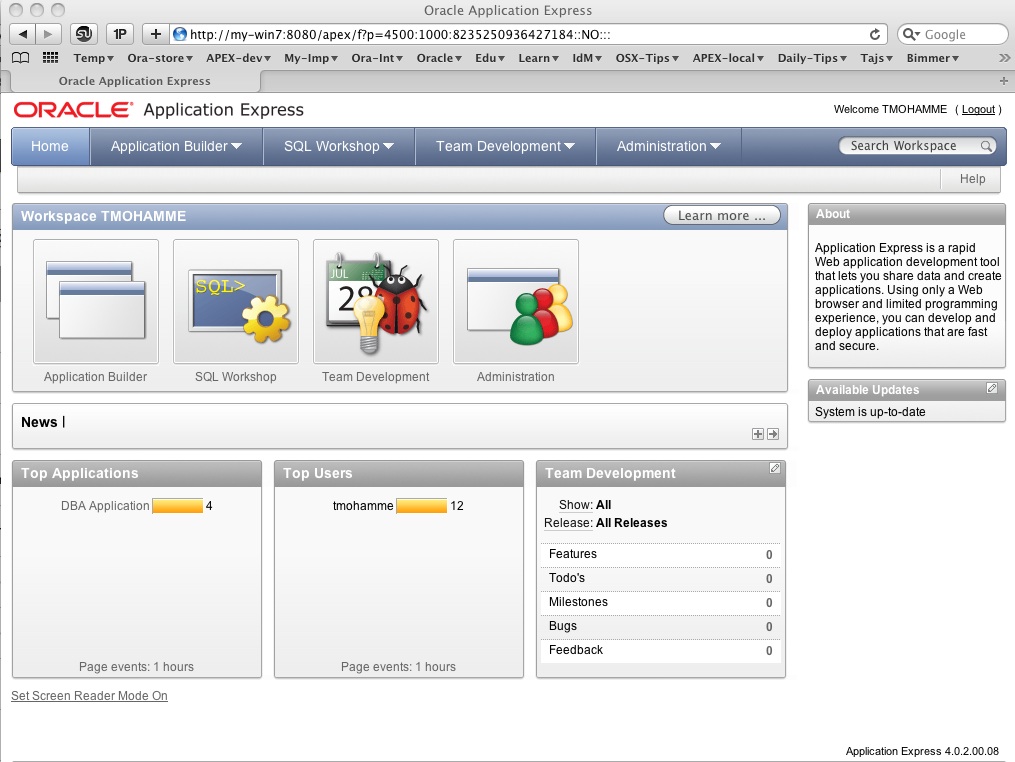
Now let me start building some applications. Just started on one… may be will blog about it soon.
 tajsblog
Hello sir,
i can get this i sql * plus on Safari browser on mac, (database on win-7 on vmware) can u please help me, actually i need to connect database from eclipse, (i.e jdbc) for that i need to add jar file, but how? when i click to add jar file, a dialogue box open for ‘files and folders’ so how to give the path.
Hello Anand,
I’m not a java developer but as far as I understand, you provide the database connectivity using jdbc/odbc syntax (username/password@host:port/database-name). Then convert the java file to class and possibly convert to a .jar file that you can import from Eclipse.
Good luck!
Taj
yes Sir, m gonna try this, i’ll let u know if i face any problem.
Thank u.